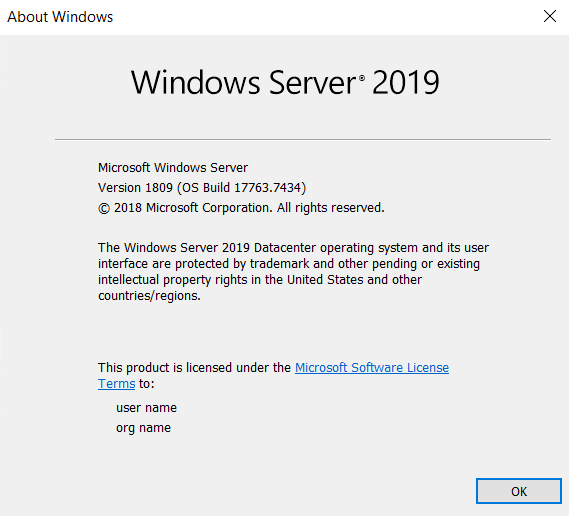
One of the things I have always wondered about was if the cost to use SSD or Premium SSD justifies the cost compared with standard HDD, or spinning rust as it is known, so I thought I would benchmark them! First up is what should be the slowest of them all, the HDD Standard Disk Tier, which is also the cheapest of them all for obvious reasons. All of the tests will be performed with the smallest disk size available, and on a standard D2s v3 VM type (Standard_D2s_v3), which has 2vCPUS and 8GiB of RAM. The OS used for all of the testing is Windows Server 2019, which has been fully patched.

We will be using the industry standard CrystalDeskMark software to test the drives.
Standard HDD Benchmarked
For the first test on the Azure VM, as soon as I RDPed into the server, I notice that the VM felt ‘sluggish’, but that could me having a subconscious bias. Here is what Task Manger looked like.
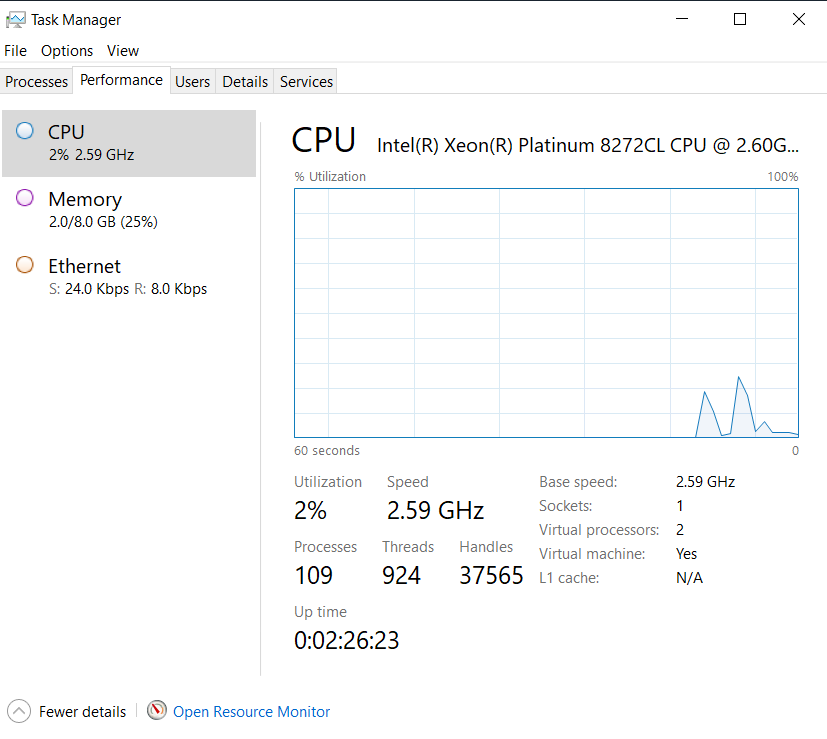
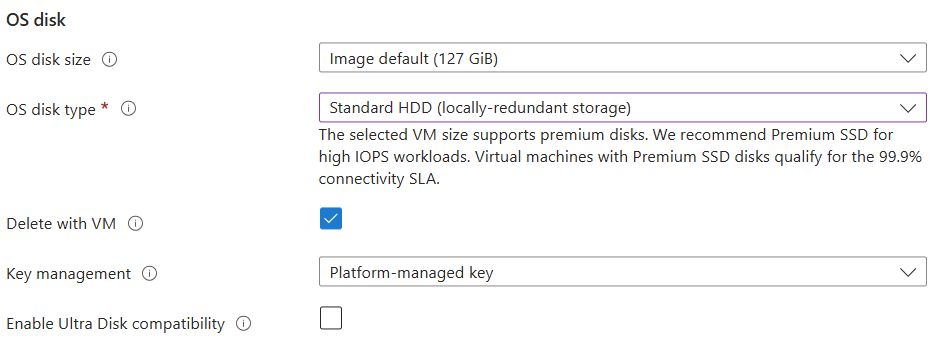
As you can see, the VM is pretty much idle, but clicking around, things felt a little ‘off’. Below is a picture of the disk chosen for this benchmark.
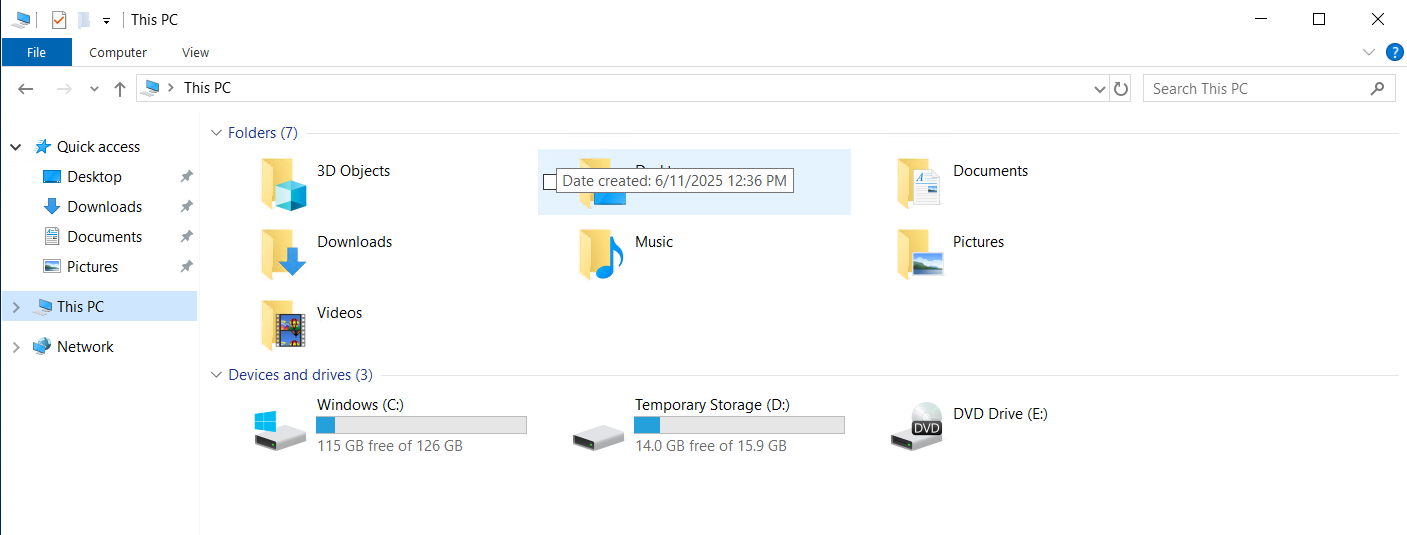
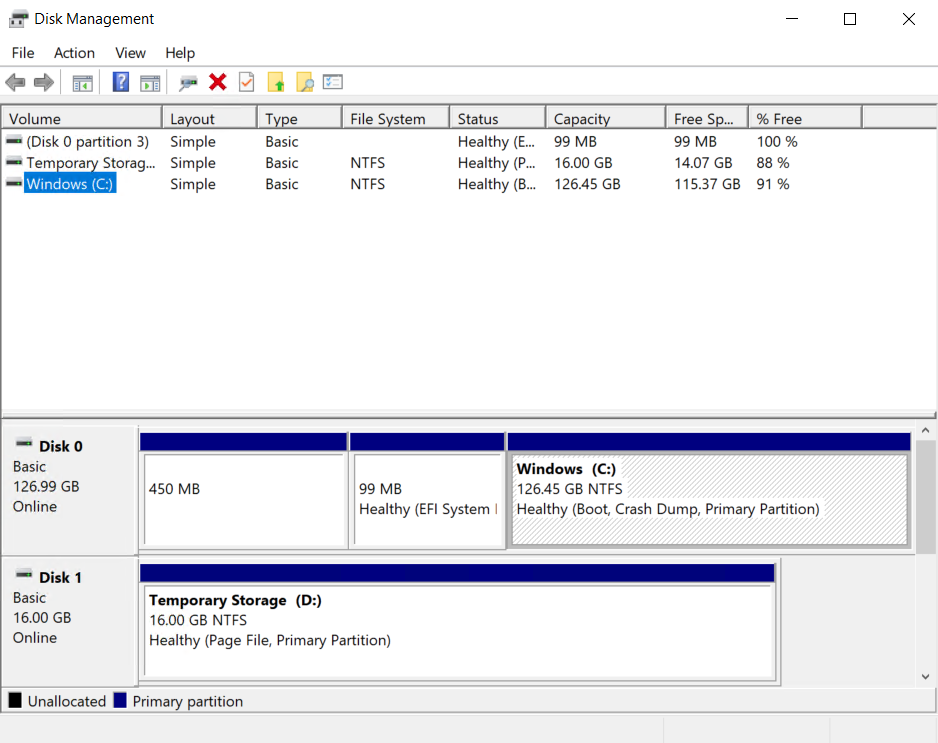
We then download CrystalDiskMark 8.06 and install it. We then reboot to ensure there is nothing that can interfere with the benchmark, which we will run three times, all at default settings.
Then we let us run!
The first round of results is in, and to be honest, the benchmarks of the Standard HDD offering, is much better than I thought.
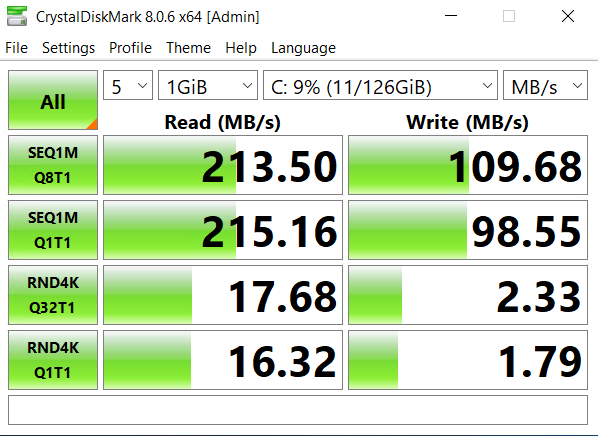
So, let’s reboot, and get on with another test. The results of round two are below.
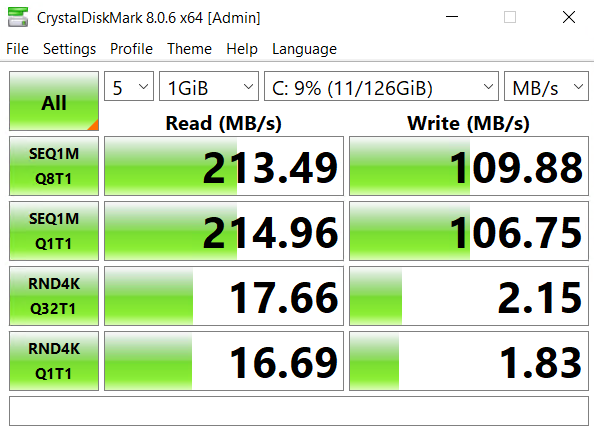
And for our final run of the HDD benchmark, here are the results.
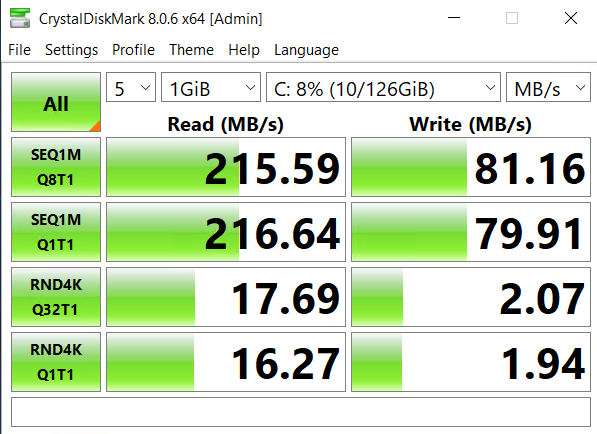
Azure SSD Standard Benchmark
All the IOPS
Right off the bat, this Virtual Machines ‘snappier’. By no means is this a scientific measurement, but things just perform quicker. Opening a browser, opening server manager, everything is quicker. Which, I guess is to be suspected. We are going to use the same exact configuration within Crystal Disk Mark for this test. So, here we go.
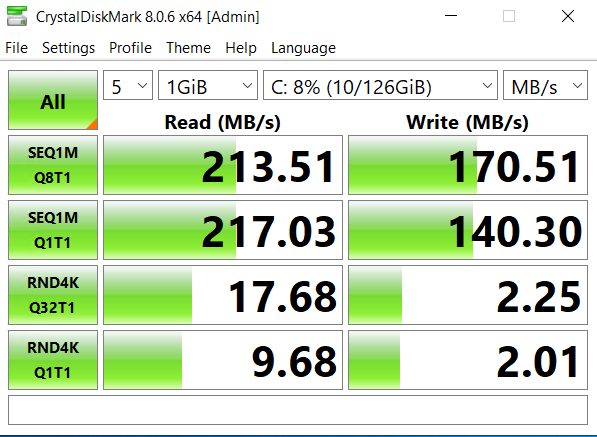
So, the first run is not exactly what I was expecting. I assumed the SSD numbers would be much different than what we had seen for the HDD attached storage. Let’s see what run number two brings us.
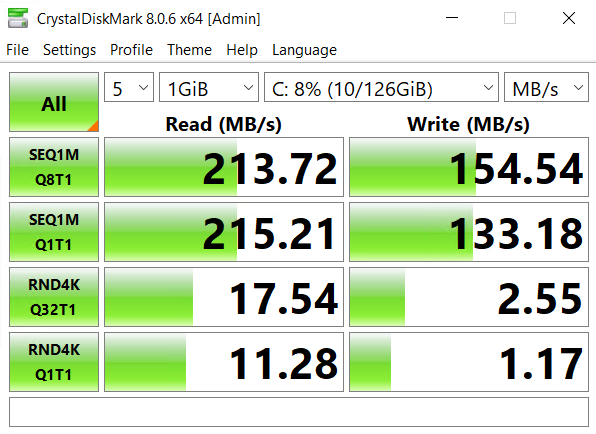
Round three does not bring any major surprises.
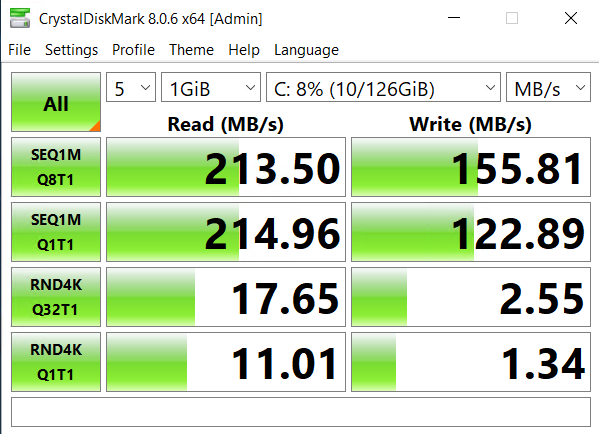
After wondering why, the SSD results were so similar to what we were seeing for HDD, I thought that I should have poke around the settings (a.k.a nerd knobs) within the Crystal Mark tool, and look what I found
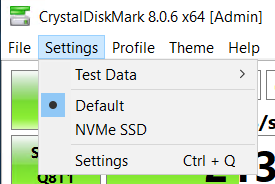
So, let’s enable NVMe SSD and re-run the tests to see what numbers we get.
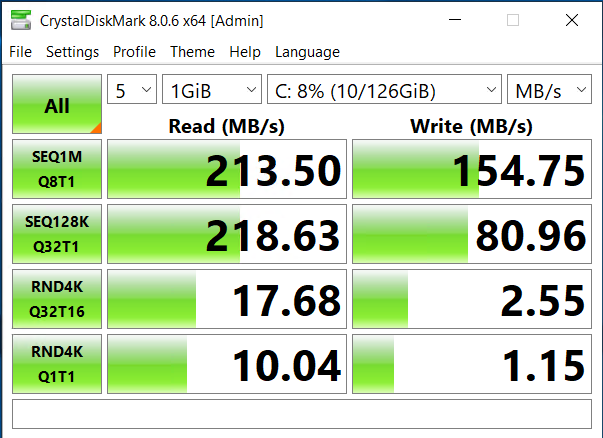
Well, that did not change much at all. Time to move onto Premium SSD. To see how the most expensive disk performs.
Azure Premium SSD Benchmark
All the dollars.
On initial boot, this by far feels the fastest, again, this is very subjective, but from a UI perspective, I can click around, and things (browser, server manager, file explorer) all respond instantly. But, what do the numbers give us!
Round 1! FIGHT!
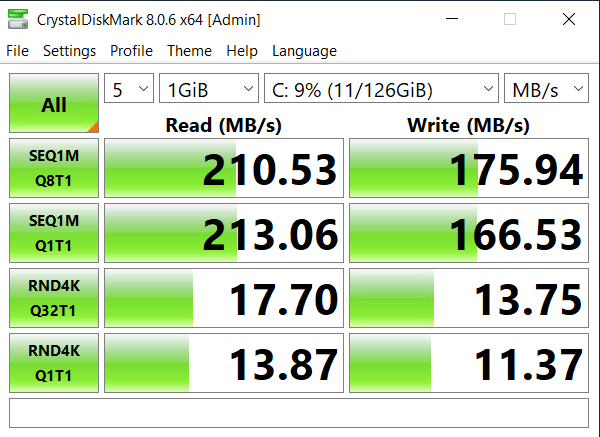
Round 2!
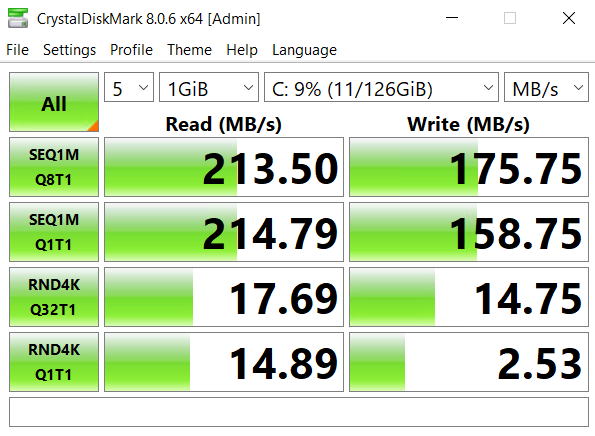
Final Round (well, maybe. I will do one test with NVME enabled in the benchmark tool.
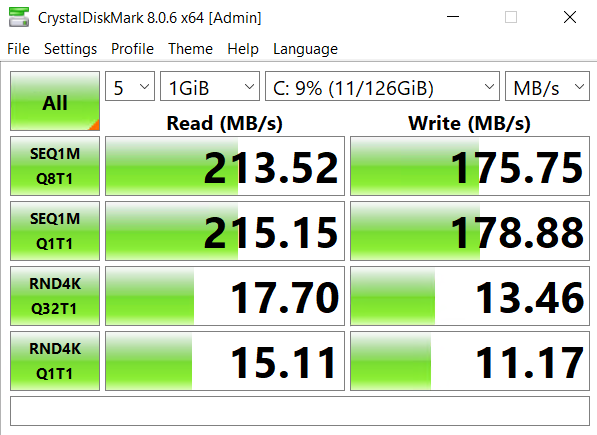
And the last one with the NVMe option selected.
Conclusion
Closing thoughts below!
Well, if I am being honest, that is not what I expected at all. I assumed the performance would incease as the type of disk used changed, from basic HDD, to SSD, and then to performance SSD.
Before the pitchforks come out, I do realize that this is a VERY unscientific process, and the tool itself is questionable, but I thought it was very worth while. For those of you interested in the price differences between the different tiers, I have them listed below.
For the Candian region where I have been testing, the official pricing on the Microsoft Website as as follows.
Premium SSD Managed Disk with LRS Redundancy (what we used for the testing), the cost is $0.091/GiB. In our case, as we tested with a 128GB disk, the cost for storage is approx $11.64

For standard SSD, I think I found an error on the Microsoft site, or at least I hope I did.

If my math is correct, then our disk would have cost approx $2,588. So something is wrong - dear reader, please comment, as I know you are much smarter than me!
For Standard HDD - the pricing is right inline where we expect it to be.

The cost to run a 128GB spinning rust disk is approx $1.02/month.
So, for production workloads, I would be hard pressed to recommend ANYTHING except an SSD workload (I will investigate the pricing discrepancy). The HDD offering, simply ‘felt’ too slow to be useable.
If you guys are interested in seeing the same benchmarks performed on Linux workloads, let me know in the comments.